Review Comments (0) Screenshots (5) Questions & Answers (0) Votes (0) Awards (23) Wiki  
neteject.com
5.8.1
www.visualcron.com
Shareware
$197.00  Purchase
22 people
Download VisualCron

Downloaded 443 times

It is possible that the download link provided above does not refer to the intended version. If you are looking for VisualCron, you may try searching for a download link using Google.

 
Video tutorial for VisualCron 5.8
Frame

Review

This is official description

VisualCron is an automation tool and task scheduler for Windows.
VisualCron provides advanced file/script execution, file transfer (FTP/FTPS/SFTP/SSH/HTTP), email, archiving (ZIP/TAR/GZIP), XML handling, Active directory tasks, encryption (PGP), desktop macro recording, send/receive emails, system control (Hibernate, Standby,Restart,Logoff), SQL execution and monitoring are standard functions of VisualCron. Above all, the interface of VisualCron is very easy to use. No programming skills are needed.
 
The following review written by one of the Software Informer contributors applies to version 4.9

VisualCron is a powerful and handy task scheduler that allows you to program and automate complex tasks in a few simple steps.The user interface is intuitive but not so simple for beginners who will have to spend a while reading the help file in order to understand its multiple functions. On the contrary advanced users will take advantage of its multiple uses. In order to schedule any tasks the first thing to do is to create a job, which may include many tasks in one. The trigger runs the job and the program sends notifications when these tasks are done. As the utility has a client-server architecture, it allows to connect to remote computers and combine multiple tasks and events, specify time exceptions, and be notified via email, pop-up window, syslog, SQL query, sound and much more. Apart from simple tasks, you can also trigger complex tasks through system events like file changes, registry changes, event log entries, processes, services, and even custom WMI scripts.
The application is available in more than 30 languages and works with Windows XP/Vista.
  • Intuitive and simple user interface.
  • Advanced options for complex tasks.
  • Fully customizable.
  • Beginners may find it difficult to use.
  • Expensive.

Reviewed by: Silvana Mansilla

Reviewer rating:

Reviewed: 2 years ago

What's new in version 5.8

- [INFO] This version requires that you install new version of both Client and Server
- [FEATURE] Client: Added options to change Client settings-,log- and backup folder
- [FEATURE] Client/Server: Added options to change Server settings-,log-,output, temp and backup folder
- [FEATURE] Client: Added optional confirmation dialog for Server->Stop action in Client settings
- [FEATURE] Client/Server: Added detached signing option in PGP Encrypt Task
- [FEATURE] Client/Server: Added support for multiple folders in all file filters. Separate folders with semi colon ";"
- [FEATURE] Server: Treated powershell error output as VisualCron error
- [BUGFIX] Server: Fixed a Variable problem in the Office Macro Task (Variables converted to static after first run)
- [BUGFIX] API: Fixed some bugs related to internal events which could cause the test API project (among other things) to go beserk
- [BUGFIX] Server: Fixed a problem with printing HTML documents
- [BUGFIX] Server: Fixed a timezone bug - could potentially affect Interval triggers scheduled a longer time ahead

What's new in version 4.9

Added permissions for Remote File browser.
Multiple bug fixes.
Report a wrong version Report a wrong program title Suggest a correction

Screenshots

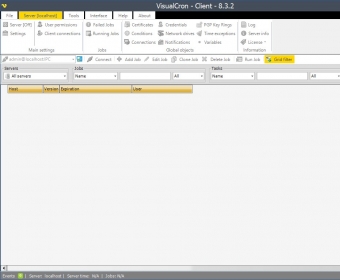
Main window Main window Settings Settings General View General View Add job Add job
All 5 screenshots

Latest comments


There are no comments, be the first one!
Add new comment

E-mail Address:

Password:

Register now »

Forgot password?

Sign in with:
Download Software Informer Client
Copyright © 2012, Informer Technologies, Inc. About| Privacy and terms| Help| Feedback & Support| Partners program